Google Maps Redesign
Carnegie Mellon University
Social web
Spring 2020
Along with 3 other students, our goal was to create a more social experience through the use of Google Maps. We started off with the idea to improve the “Saved Locations” feature that Google already had in place. There were a lot of limitations to this feature, and we saw the potential to use this as a base for making social interaction more accessible in the maps app. We wanted users to be able to easily share favorite places and customize location names. However, through more research and interviews, we decided to hone in on the social experience people gain when traveling with friends and family.
From conducting user-interviews and personal experiences, we noticed that many people wanted to easily be able to know when their friends were arriving at certain locations and if they got home safely. When a group of two or more people are traveling to the same location, they often have a desire to text each other about updates on their whereabouts. We saw an opportunity to provide a solution to this problem space. So instead of improving a feature that already exists, we wanted to enhance the experience people have when traveling through a new Google maps feature. As a result, we pivoted our project to creating a new “group travel” feature that allows groups of friends or family to set a group destination and have the ability to track arrival times of group members.
Initial Wireframes and Prototypes
Individually, we came up with our own wireframes that demonstrated the flow and general layout of the app’s group travel feature. Some changes we wanted to make going forward were being able to see other people’s ETAs, being able to toggle on/off the group view, and having default chat message bubbles that were integrated into the main navigation.
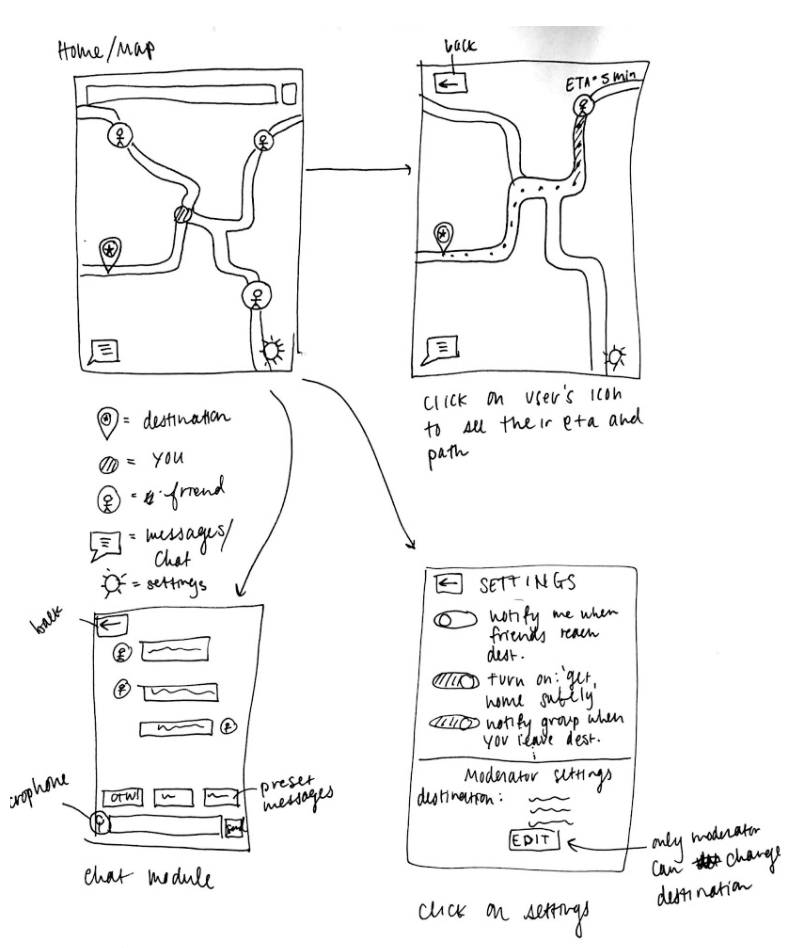
Wireframe 1
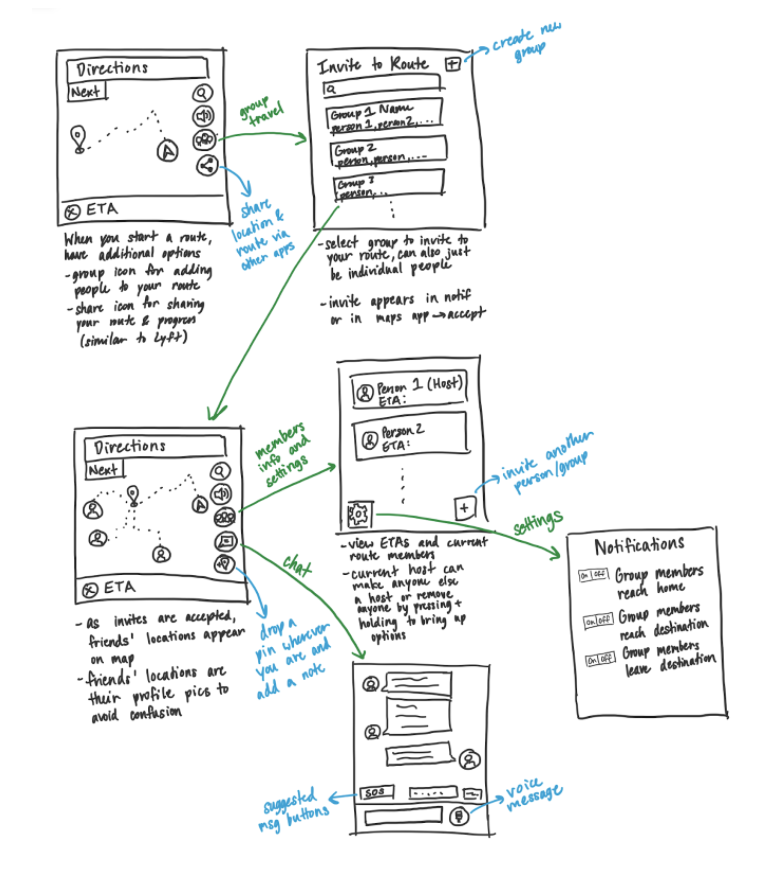
Wireframe 2
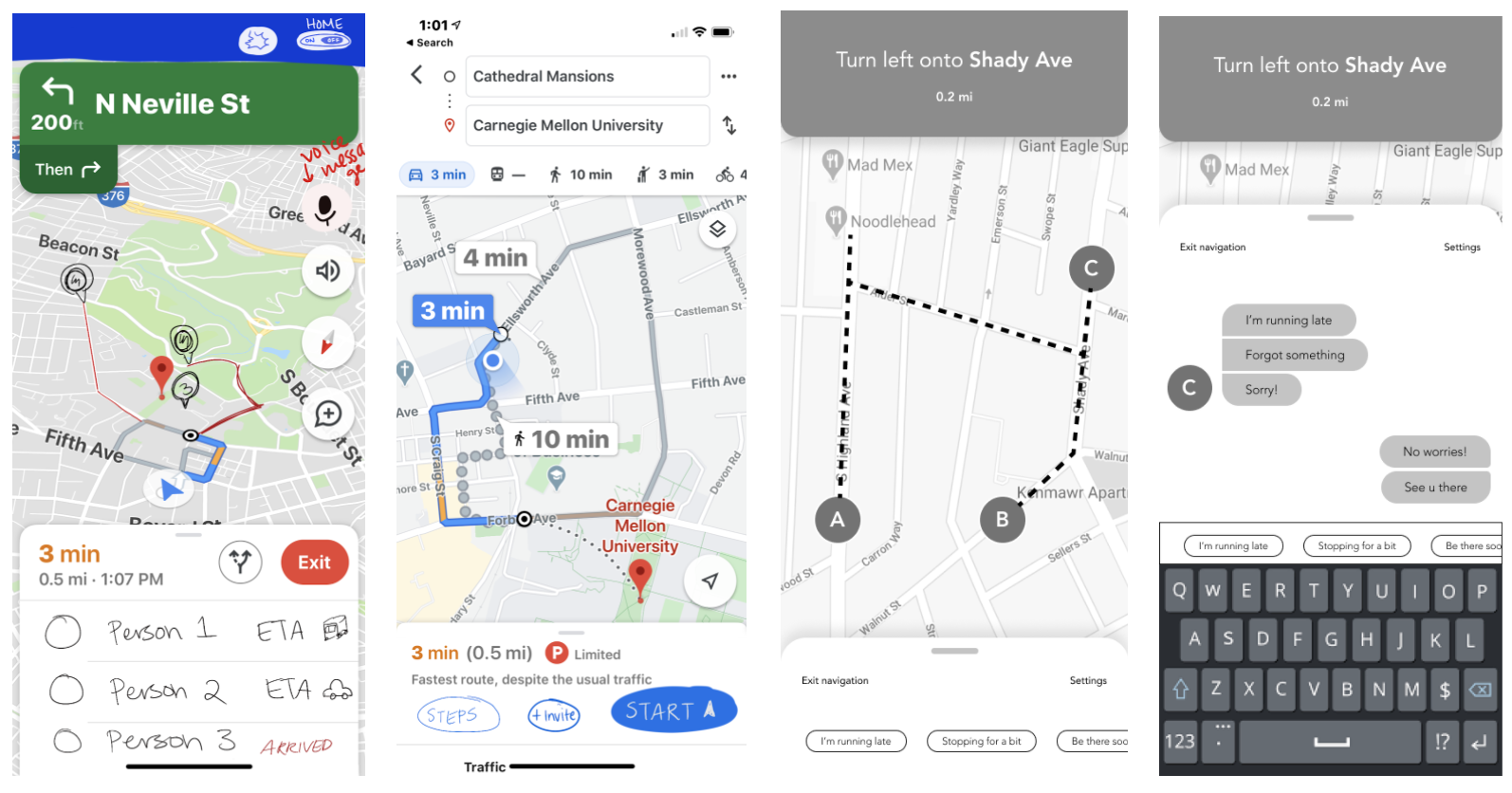
Low-fi Prototypes
Mid-fi Prototype
Once we had deliberated over what to improve for the next iteration, we all took on specific features to iterate for the next fidelity prototype. We split it into chat, main screen, initializing the route, and the settings.
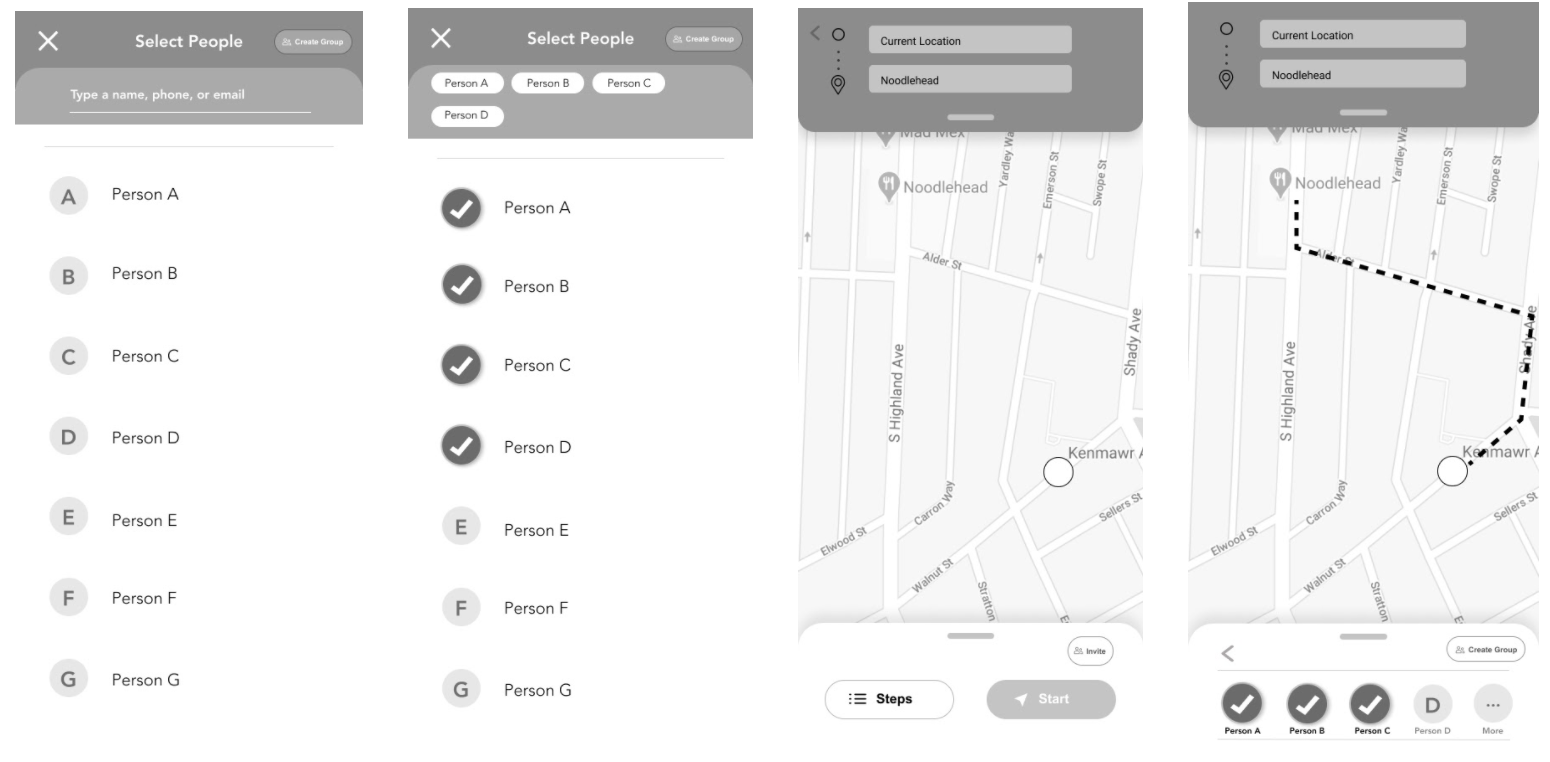
Mid-fi Prototype: Initializing the Route
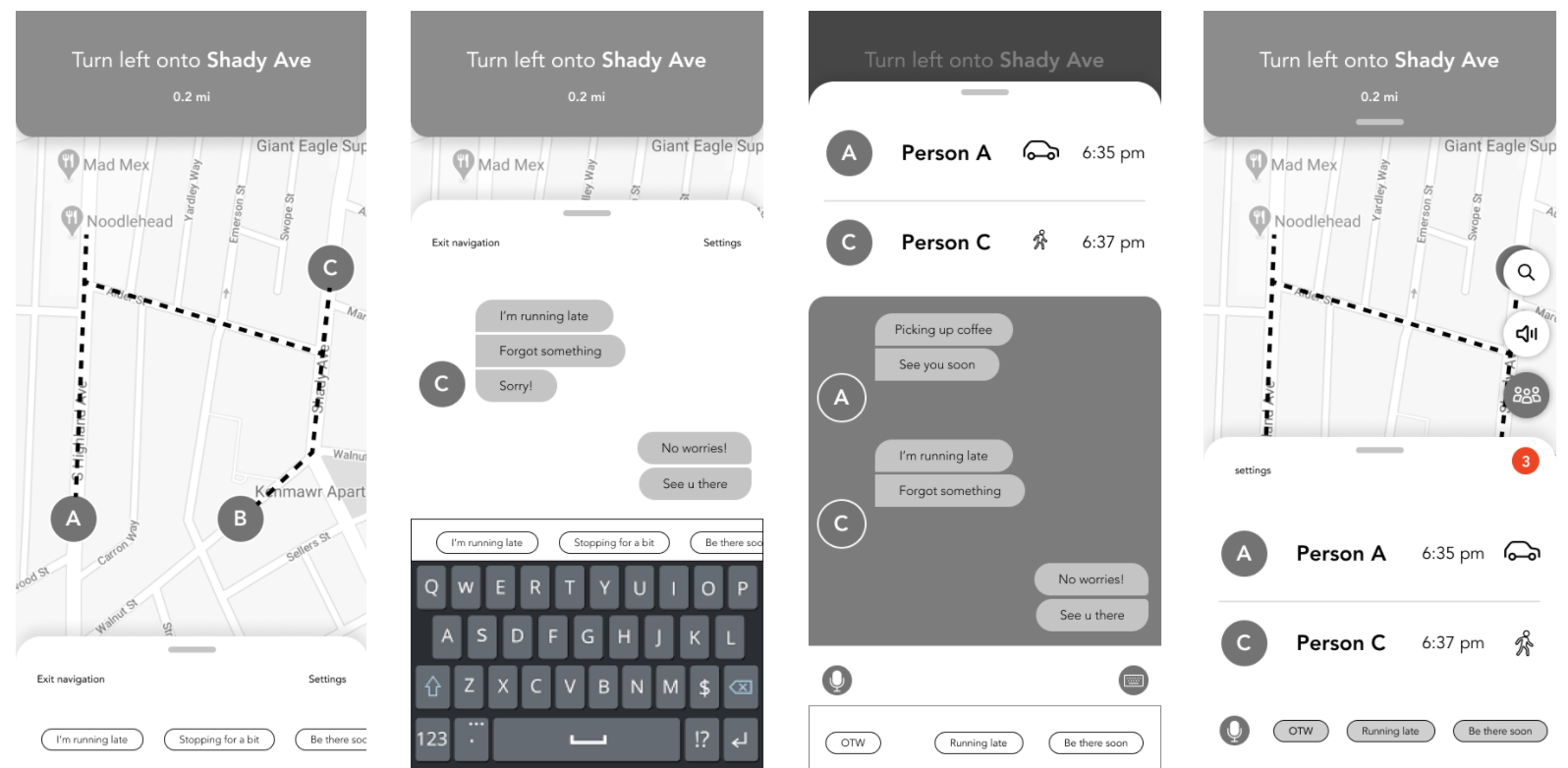
Mid-fi Prototype: Main Navigation Page and Chat
Final Prototype and Results
Once we had a working prototype for our feature, we conducted think-aloud user tests in order to reveal gaps in the usability of the feature. We had eight participants and asked each of them to perform simple tasks such as initializing a group, sending a chat message, and editing host settings.
We addressed our usability-test results in the following ways:
Ensured that default messages were able to be sent from the navigation screen (screen 1)
Enabled a settings button on the navigation screen that would allow users to easily edit the group settings
Provided group member information like ETA, distance, and arrival time when clicking on member icons directly on the map (as shown in screen 3)
Following some minor adjustments based on this feedback, we came up with the following final prototype:
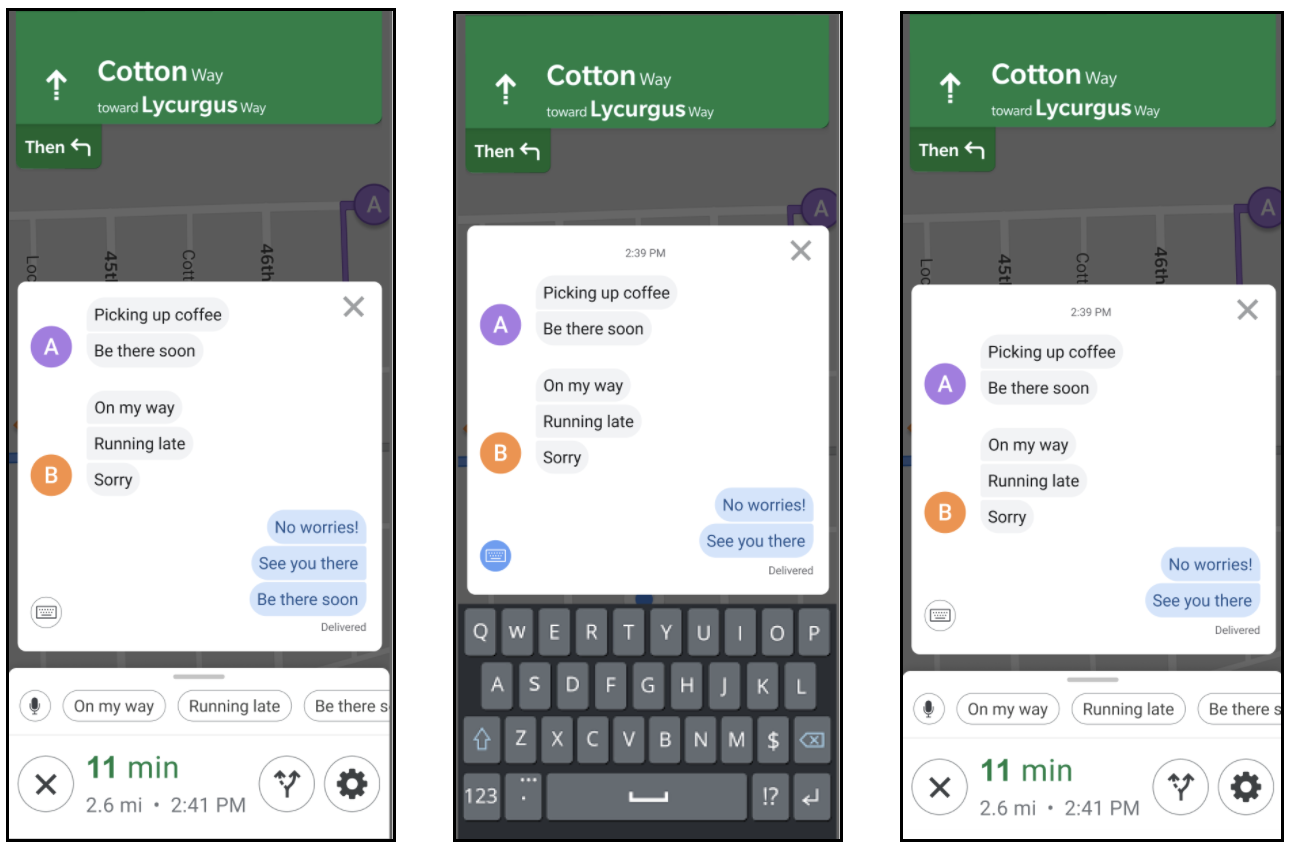
Final Prototype: Map View with Group Feature
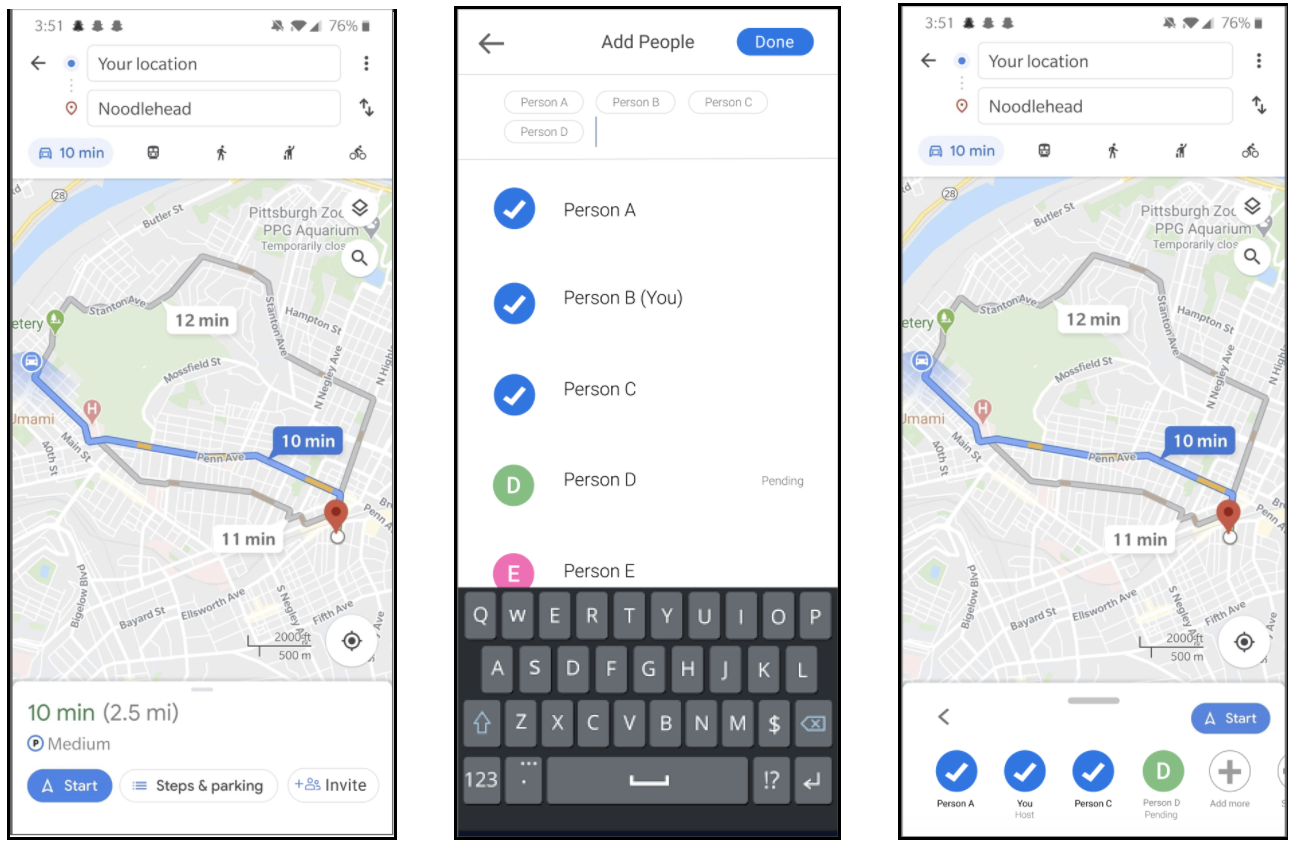
Final Prototype: Initializing a Group Destination
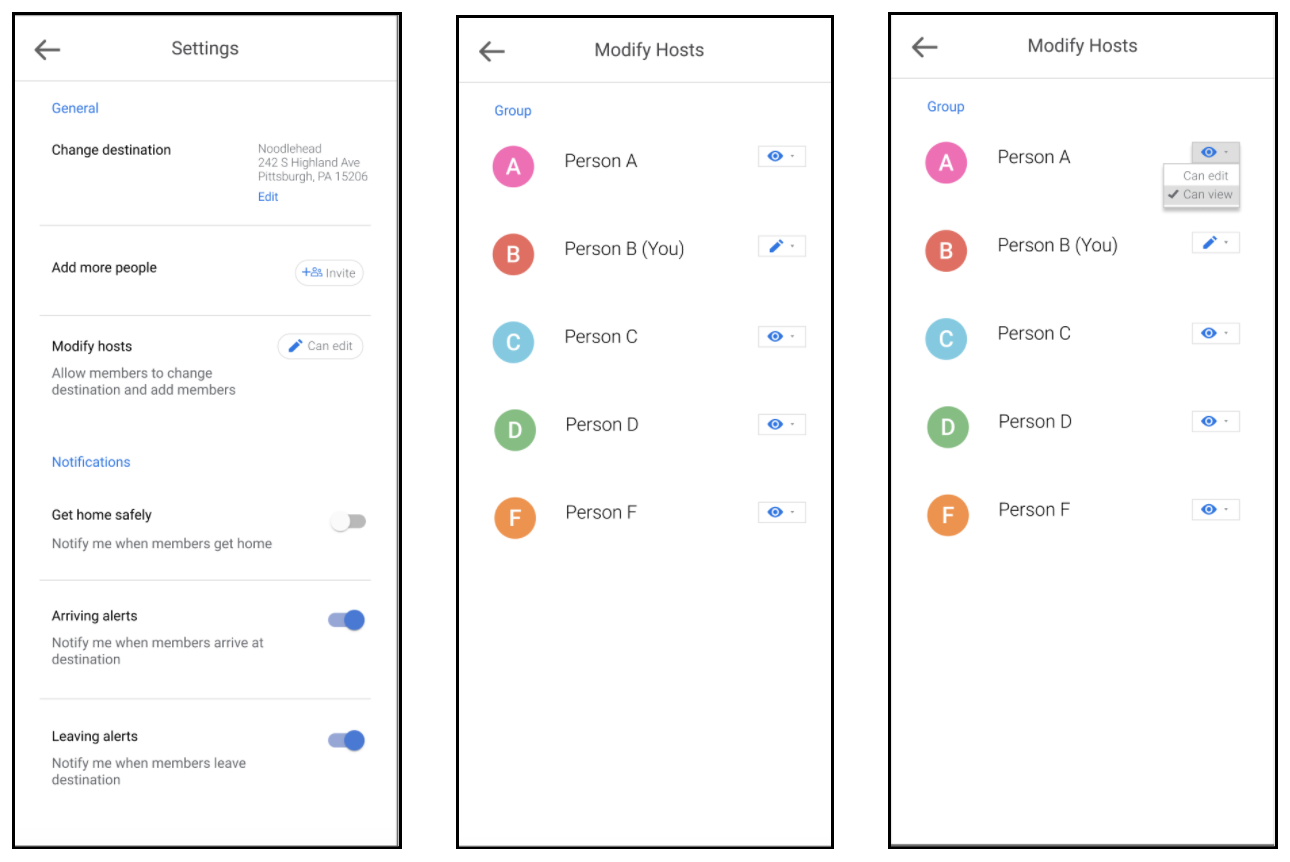
Final Prototype: Settings (allows user to edit host details)
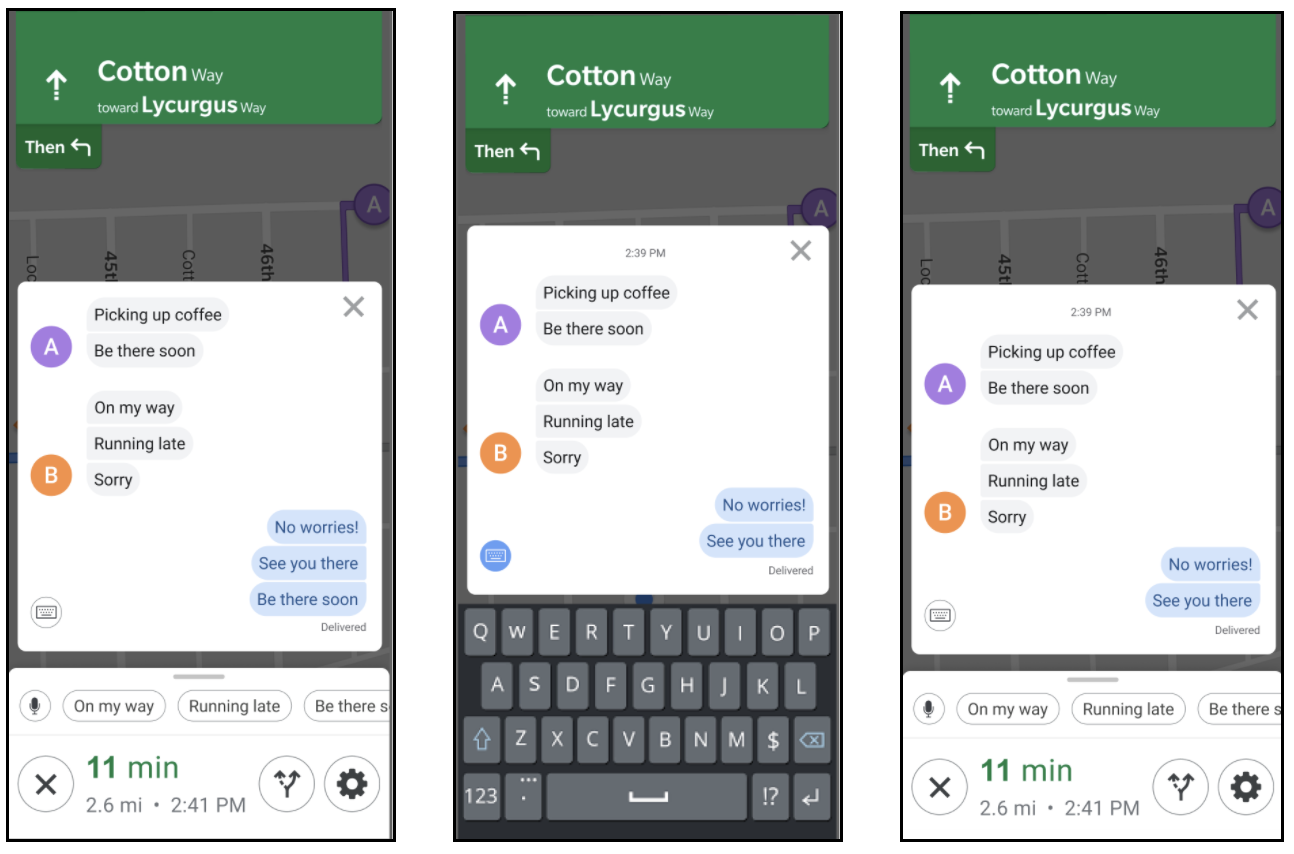
Final Prototype: Chat Module
Future Steps
Future steps we might take include testing on more users who have varying technological proficiency, giving users the ability to plan trips ahead of time, and adding third party integration. Because we only tested the feature on those who were familiar with mobile applications, features may need to be adjusted for more intuitive use. Allowing users to plan trips ahead of time could incorporate information such as routine traffic data and the location of certain stops, for more efficient and inclusive travel. Finally, adding third party integration would be an extra step that could enhance the group’s social experience. For example, Spotify might be linked so that the entire group could listen to the same music, synced across time.
Homely
Carnegie Mellon University
Interaction Design Overview
fall 2018
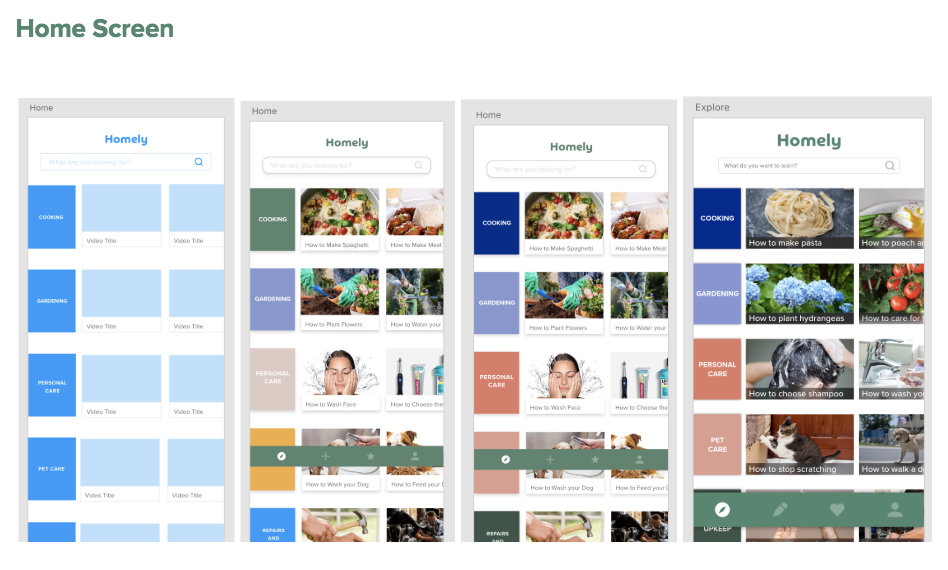
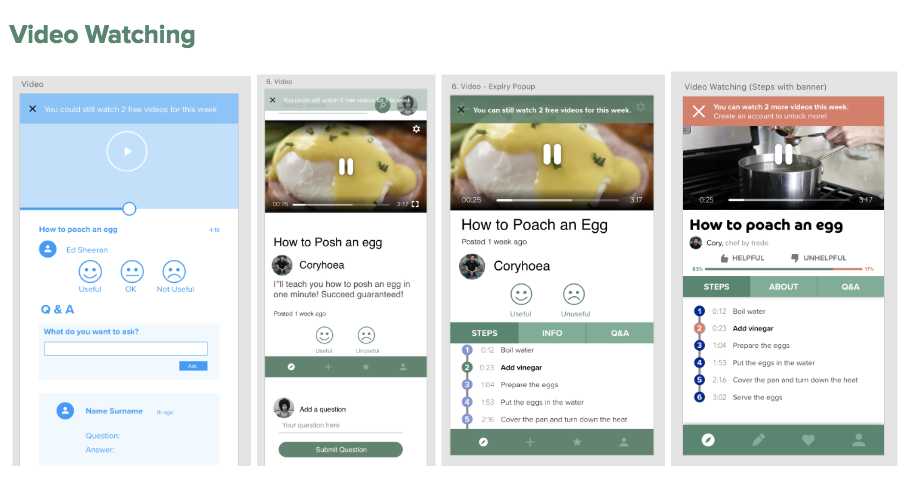
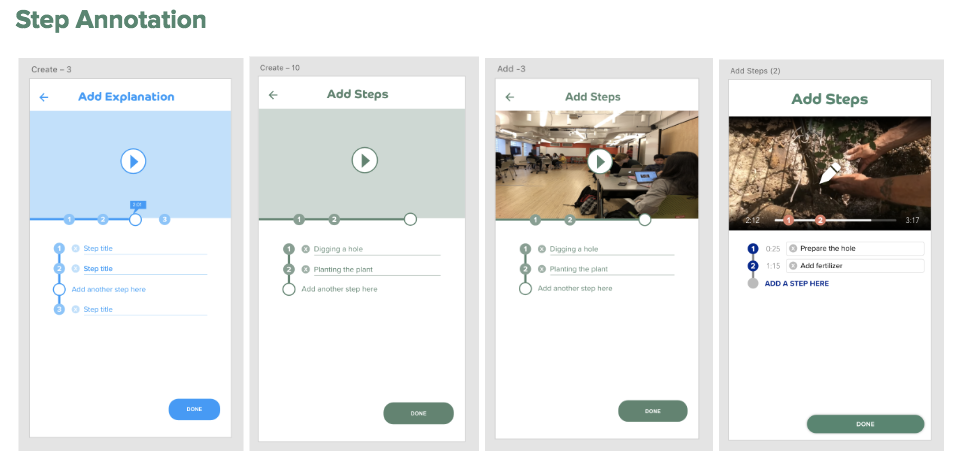
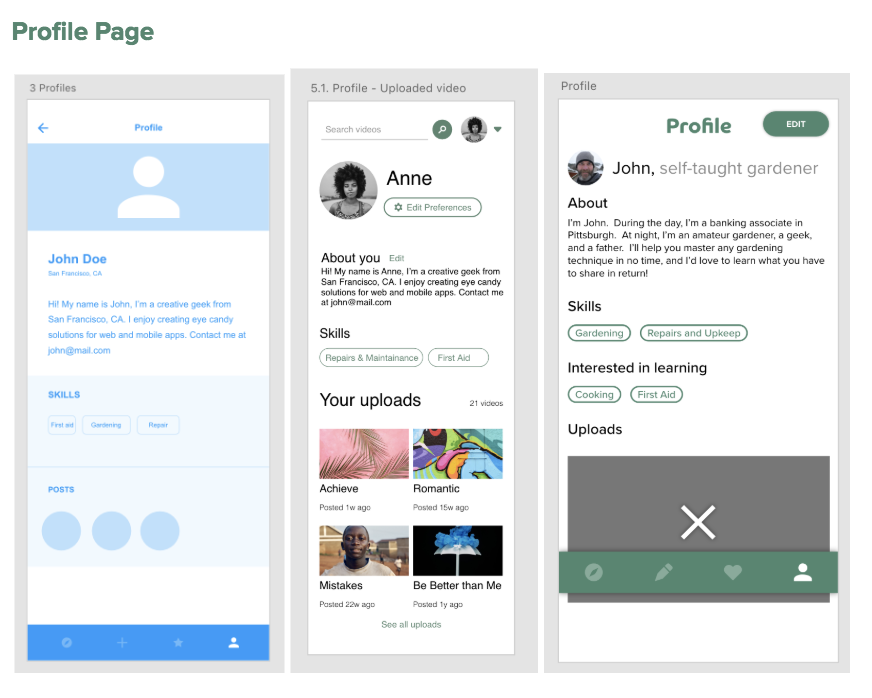
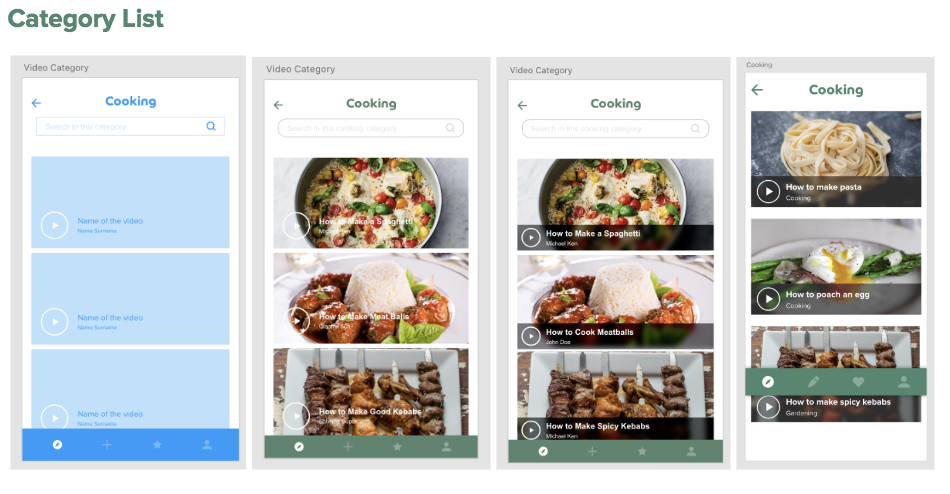
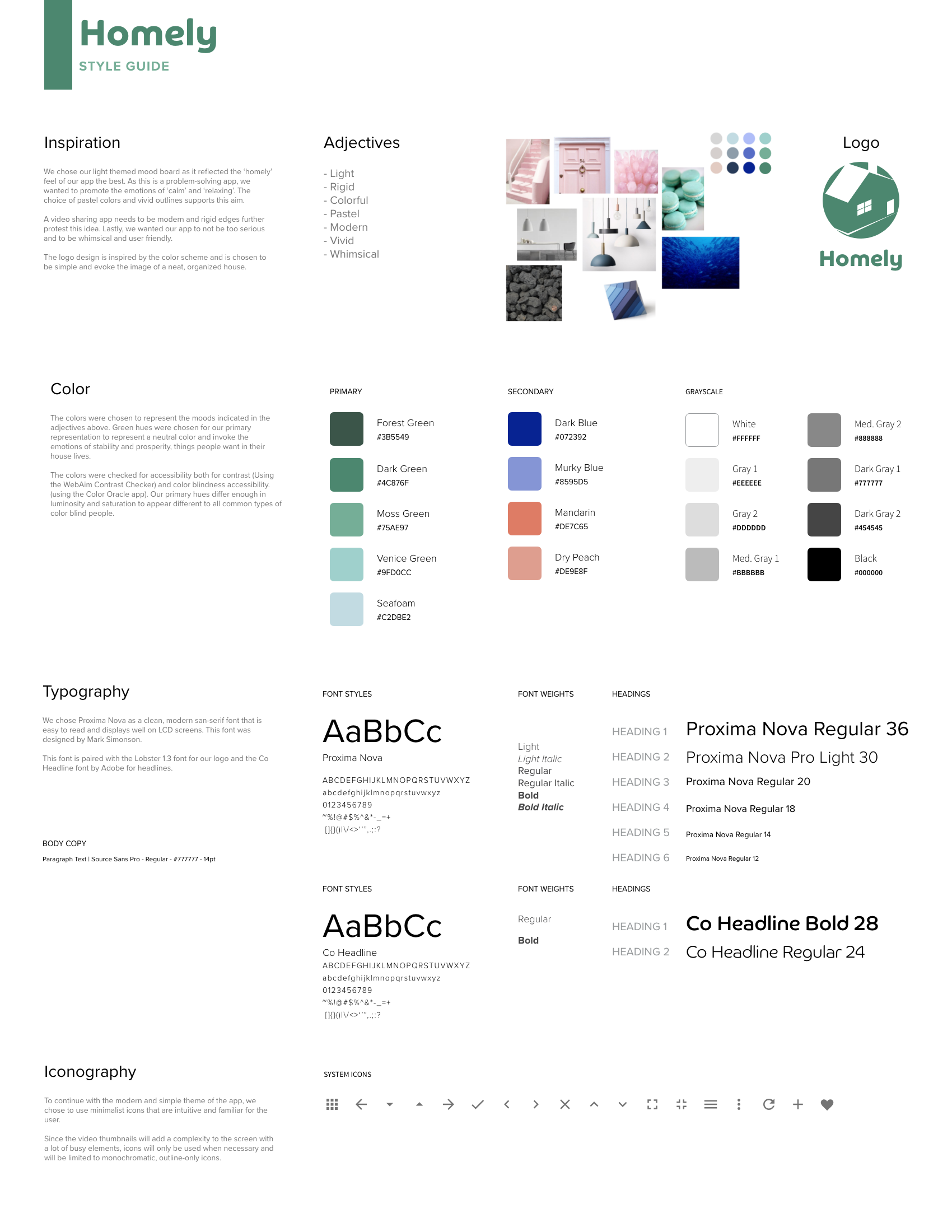
With three other human-computer interaction masters students, we created a phone application called Homely. It is a skill share platform that allows users to learn home economic skills such as cooking, gardening and cleaning. The user uploads short “How to” videos, and in return can watch other peoples’ videos. If one does not want to upload a video, one can pay a small fee to view videos. Some features include customizing your newsfeed and recording short clips with the app.
Port Authority Application
Carnegie Mellon University
Interaction Design Overview
Fall 2018
I was tasked to redesign the Pittsburgh Port Authority website since their current design has a poor interface. There was a lot of repeat of information and the categorization of information was confusing for the user. I redesigned it with the intention of creating a minimalistic and easy-to-use layout that would allow the user to quickly locate information. I created a phone and desktop interface. If you would like to see my interactive prototype I created, there is a link to the left below. Also, if you are interested in seeing the current version of the port authority website, there is a link to the right. The process book of my compiled research that was lead to the final product is below as well.
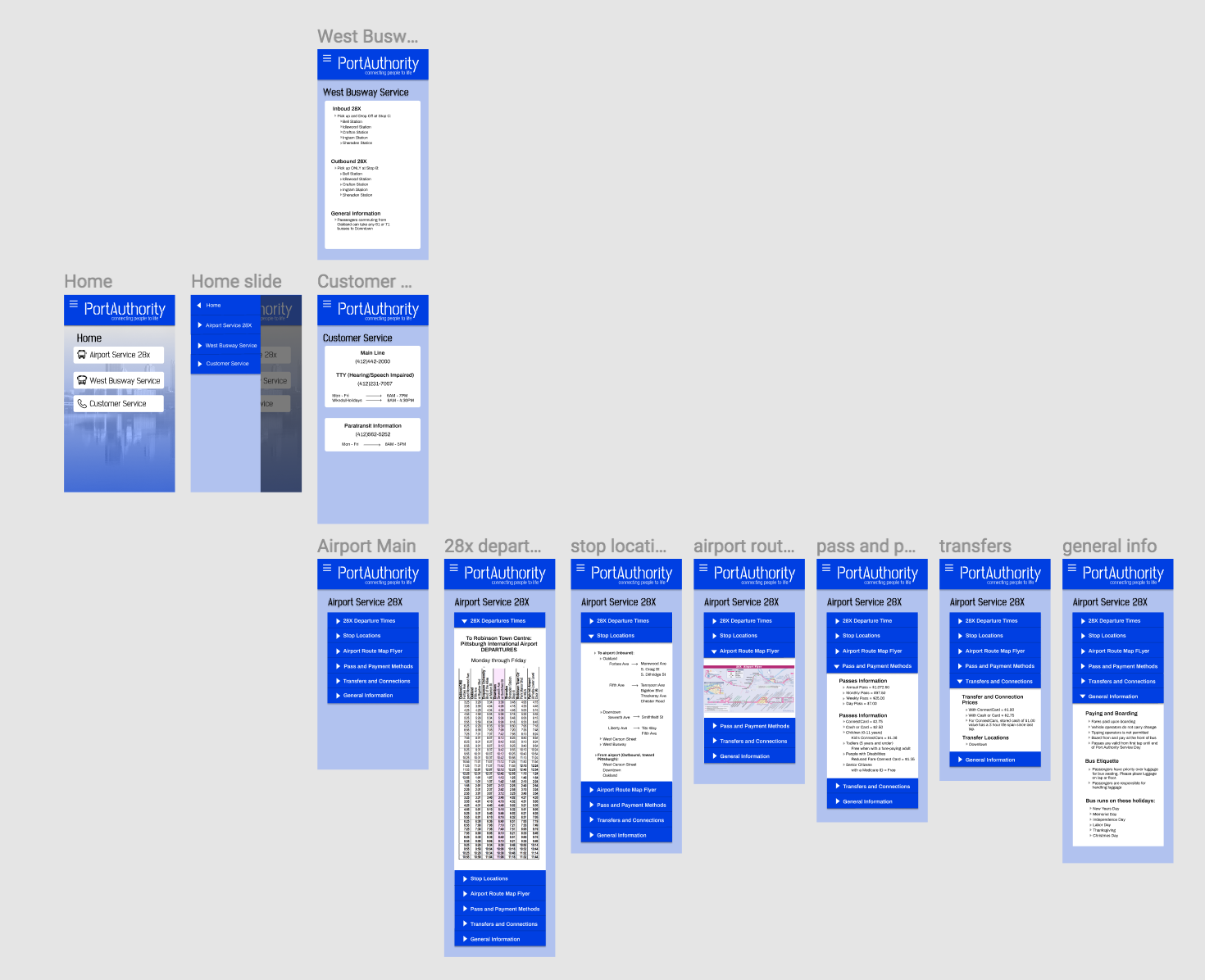
The wireframe of the sketches for the phone application.
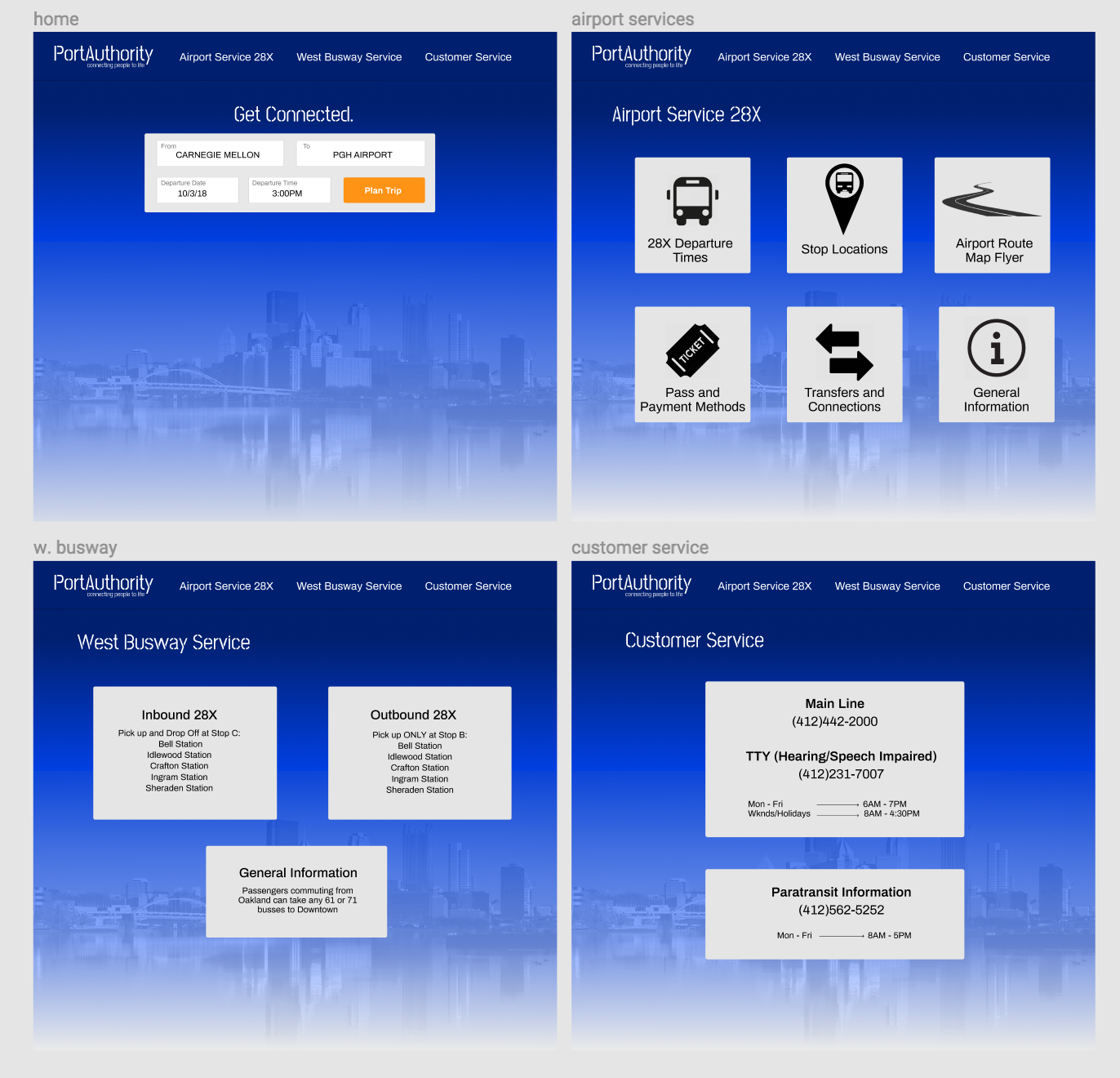
The wireframe for the sketches of the desktop browser.
Atlantis Hub Transportation
Carnegie Mellon University
Interaction Design Overview
Fall 2018
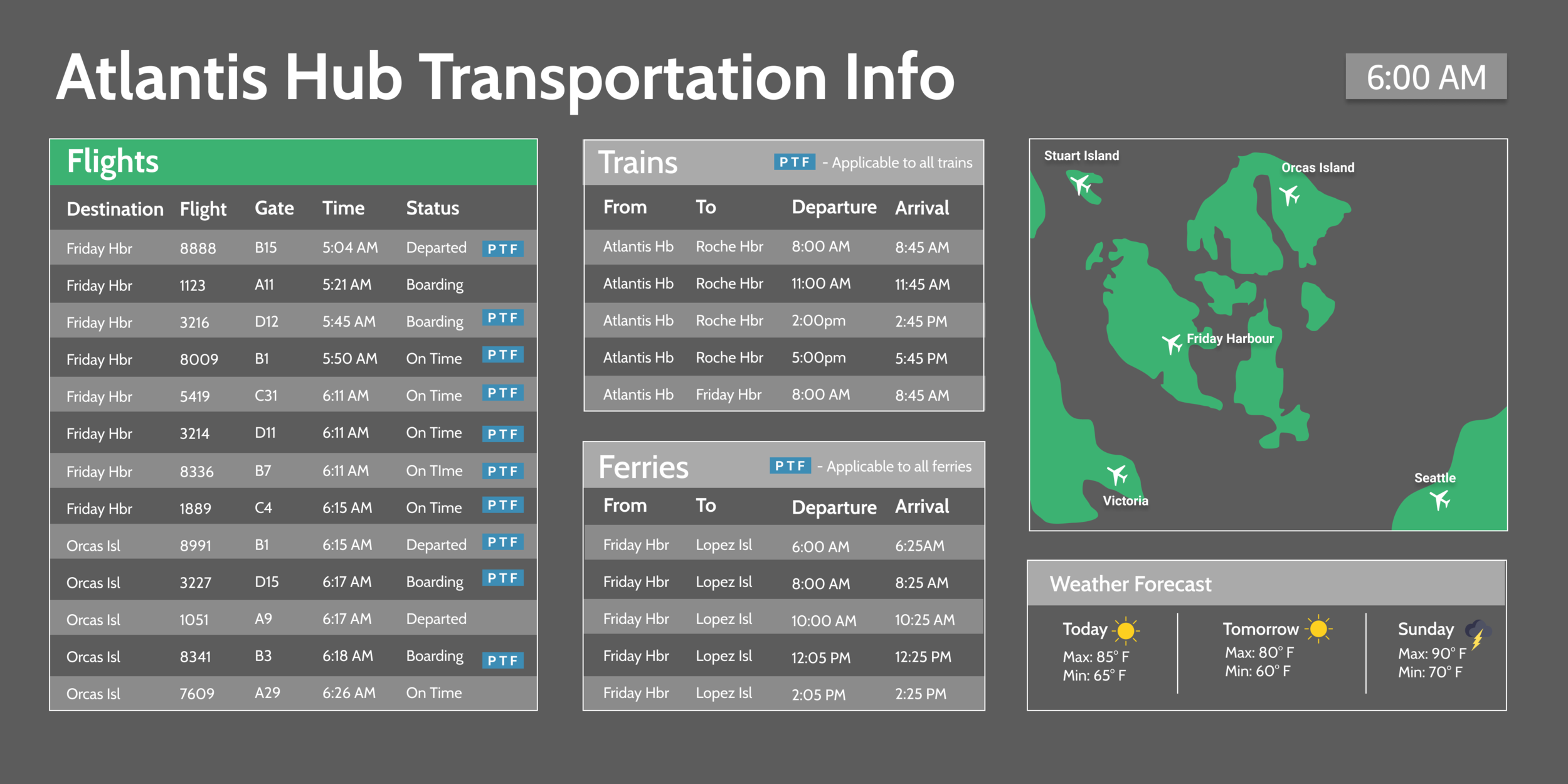
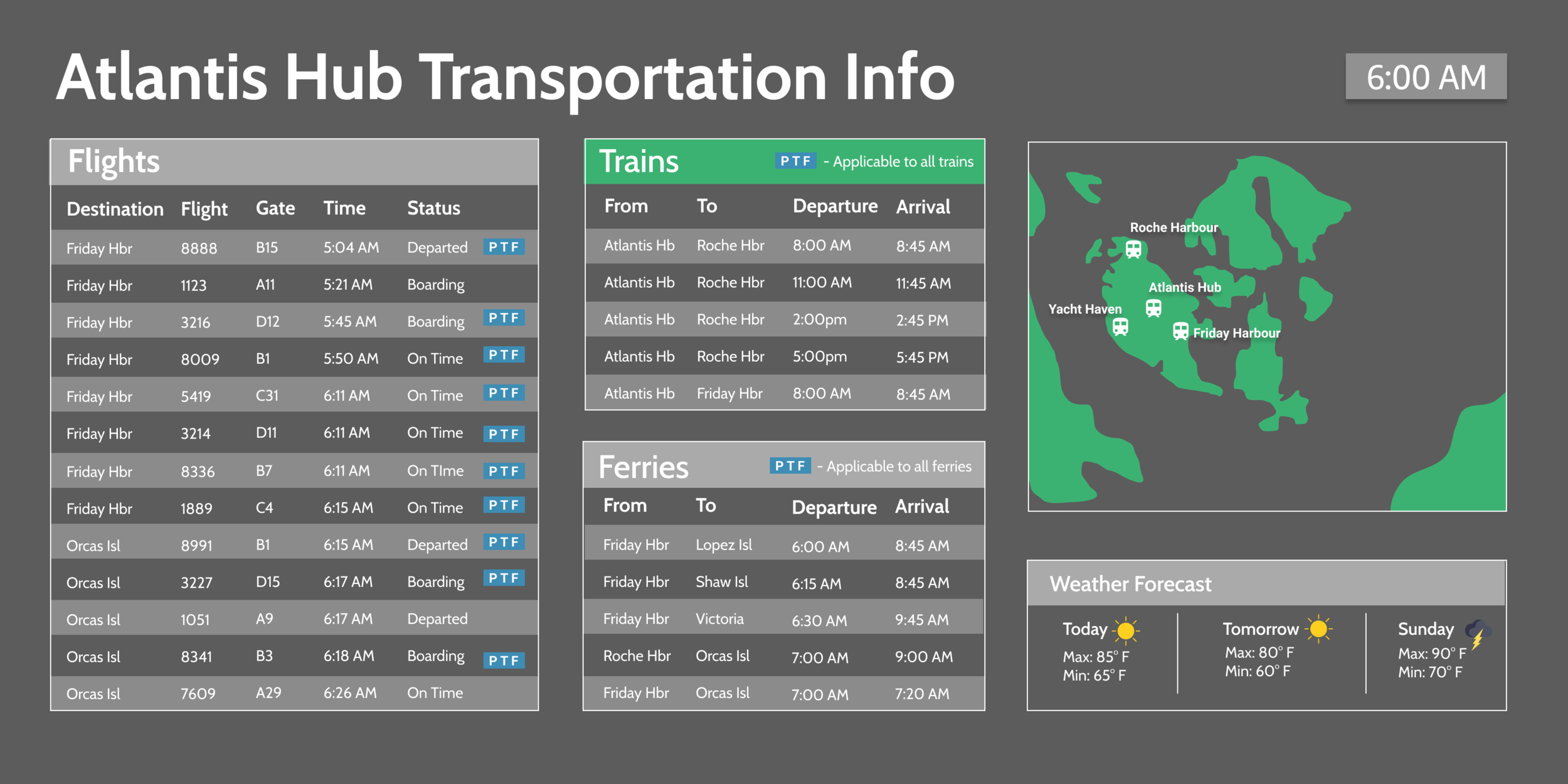
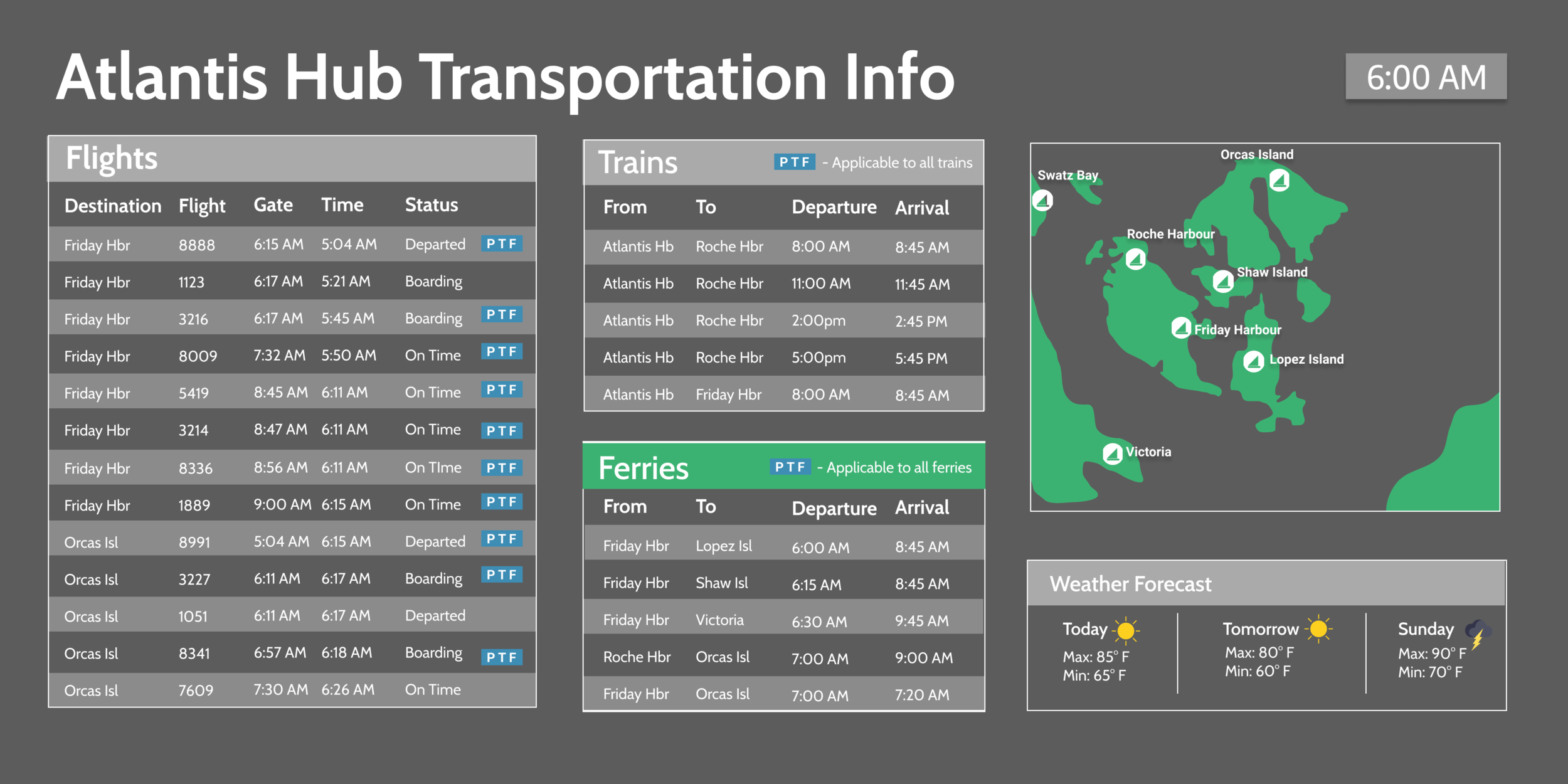
Along with two other human-computer interaction students, we were tasked with creating a data driven design. We created navigation screens that would allow travelers to easily and quickly locate how to get to their desired destination. The provided data was very convoluted and gave information that was not important to the traveler such as: flight number and type of aircraft.
Since one could travel via plane, train or ferry, we iterated between each screen every 10 seconds and iterated each section’s travel data every 5 seconds. The green title header indicates which data will iterate and the locations of the hubs on the map.
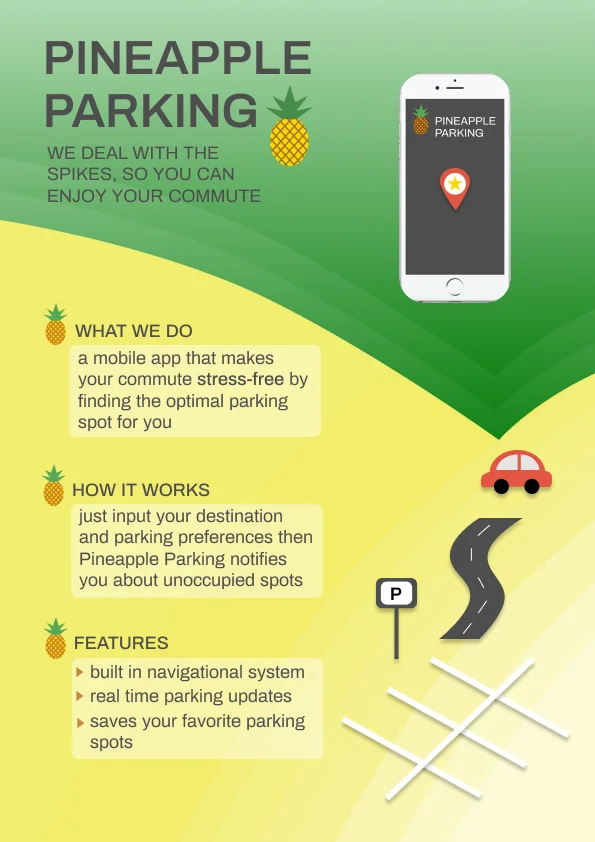
PineApple Parking
Carnegie mellon university
interaction design overview
fall 2018
I created a poster for a phone application that helps users locate free parking spots close to their desired destination. Once the user parks, they would be able to use the GPS function in the application to walk to their destination.
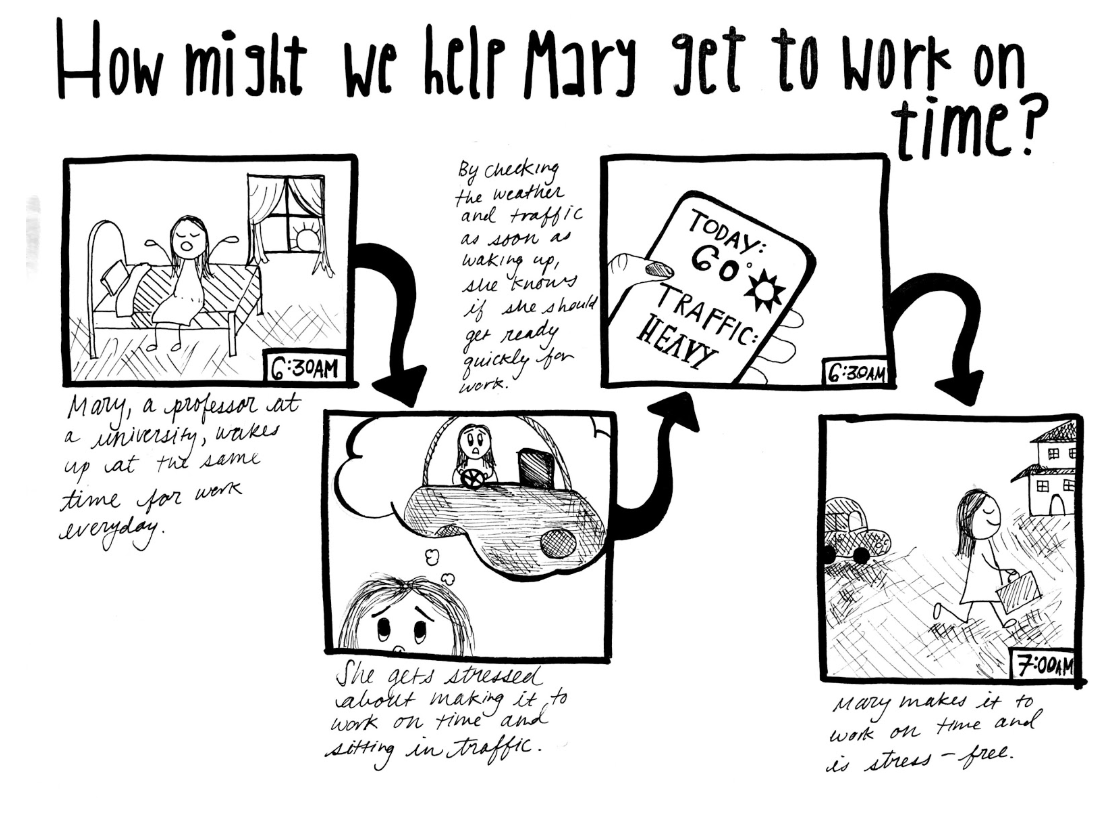
My storyboard that was used for mapping out the journey of the user.
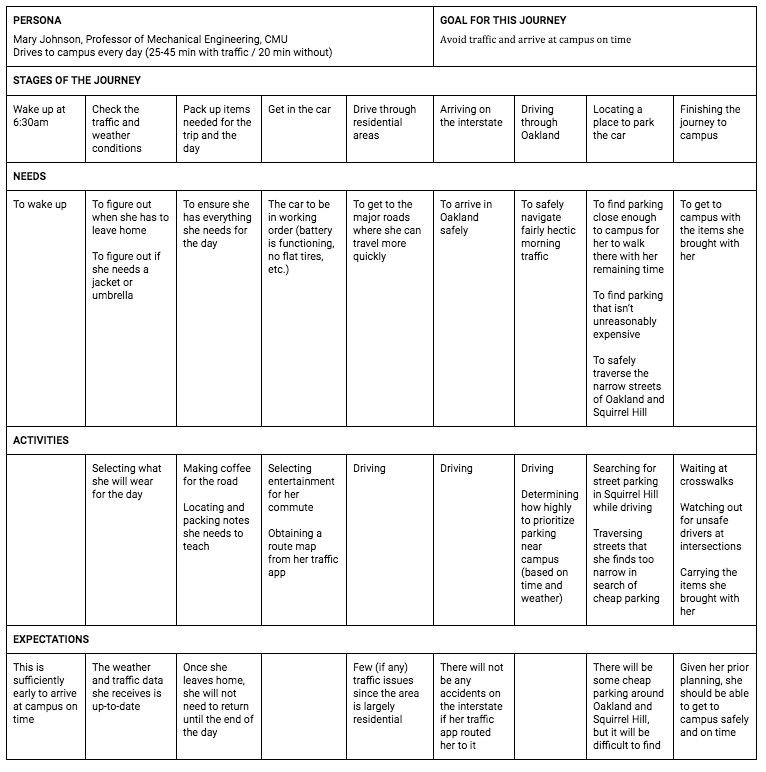
My customer persona map that was used to determine who our user was.
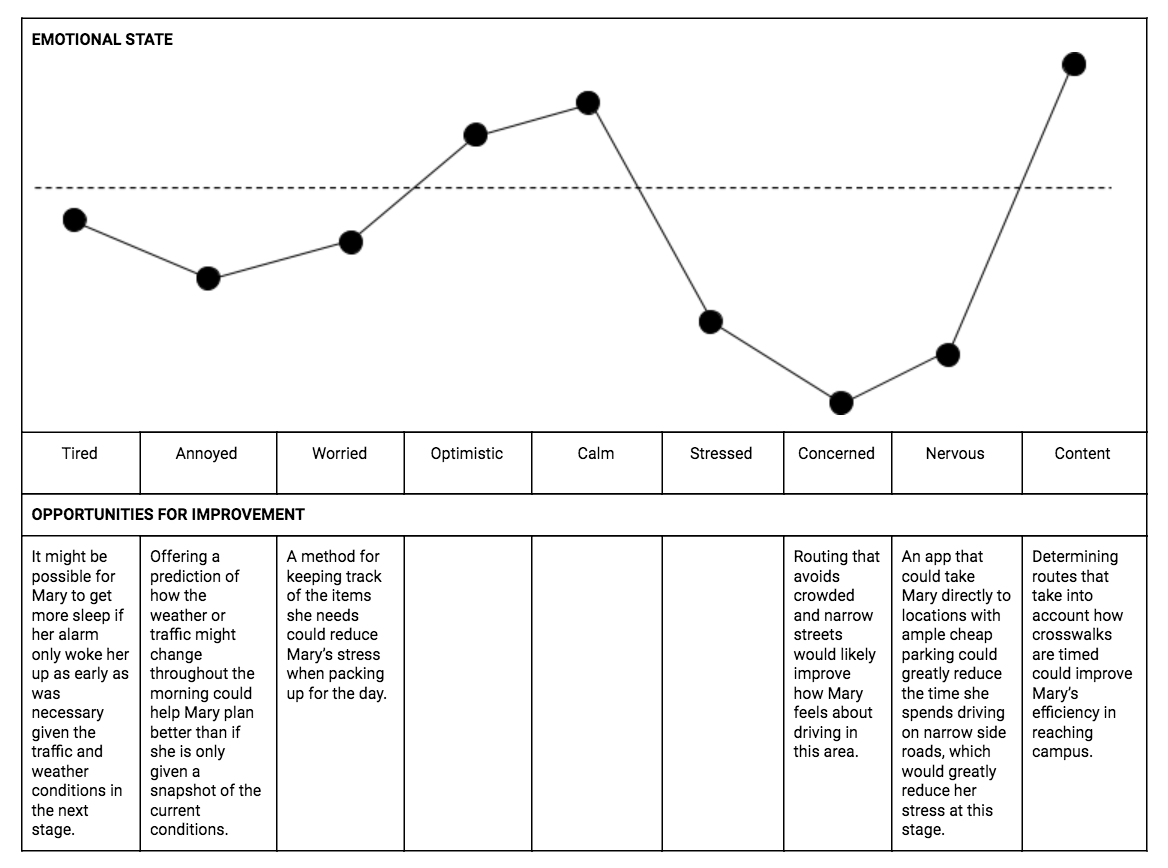
This chart describes the emotional state of the user from before to after they use the app.
Tea House Virtual Reality Game
Carnegie Mellon University
Human-Computer Interaction Independent Study
Fall 2018
As my HCI independent study, I worked with one other human-computer interaction student to create a virtual reality game that aimed to used biosensors to match two participants’ heart rates. The biosensors we wanted to use were a heart rate monitor and a sensor that detects the amount of sweat on a user’s skin; we used the Oculus headset and controls to play the game. Our goal was to make the subjects’ feel calm, so we chose to create a tea house scene that was surrounded by nature. The activity of the game was to drink tea.